%20(1).png)
House Layout 3D Rendering: From Floor Plan to Buildable Design

What if a layout that looks spacious on paper feels cramped when you imagine moving through it? A house layout 3D rendering can bring a proposed design into view, making it easier to picture how rooms connect, where light might enter and how everyday activities could fit into the space. It can also highlight questions a flat plan may leave unanswered, before design decisions move closer to construction.
It’s understandable to be unsure whether a 2D plan or a 3D view is more useful. Each has a different role: a rendering helps you visualise the design, but it isn’t a planning application, building regulations document or construction drawing. This guide explains what a 3D visualisation can show, where its limits lie and how to use it to discuss your priorities with confidence.
Visualisation can also sit within a professionally managed residential project. At Sublime Design & Build Ltd, 3D visualisations are part of a joined-up process that can continue through planning application management, building regulations compliance and construction, connecting early ideas with the practical steps towards a buildable design.
Table of Contents
What is house layout 3D rendering, and what can it help you see?
A house layout 3D rendering is a visual representation of a proposed home design that helps you picture rooms and spaces in three dimensions. A flat floor plan shows the layout from above using lines and measurements. A 3D view can help you understand how the spaces might look and connect when you’re standing within them.
The term covers a range of visual approaches. As What is 3D rendering? explains, a three-dimensional model can be turned into a two-dimensional image. For a home project, the result might be a straightforward view focused on layout or an image with additional visual detail. Its purpose is to make a design easier to discuss, not to make an idea look finished before its practical requirements have been worked through.
What does a 3D house layout show?
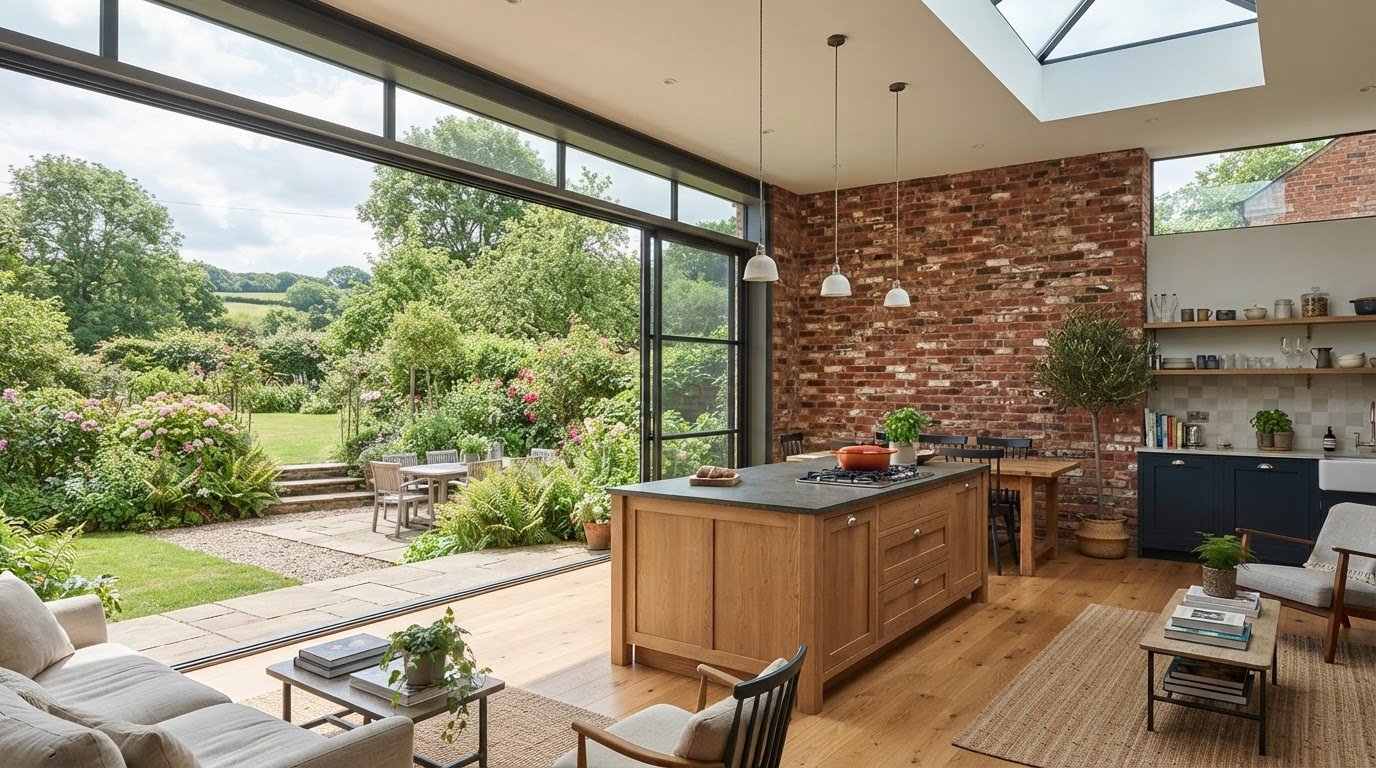
A 3D view can help you understand how rooms relate. For example, you can see whether a kitchen opens towards a living area or a hallway leads directly to bedrooms. It can also make the apparent proportions of rooms easier to grasp than a plan alone, which is useful if you find it difficult to translate lines on paper into a sense of space.
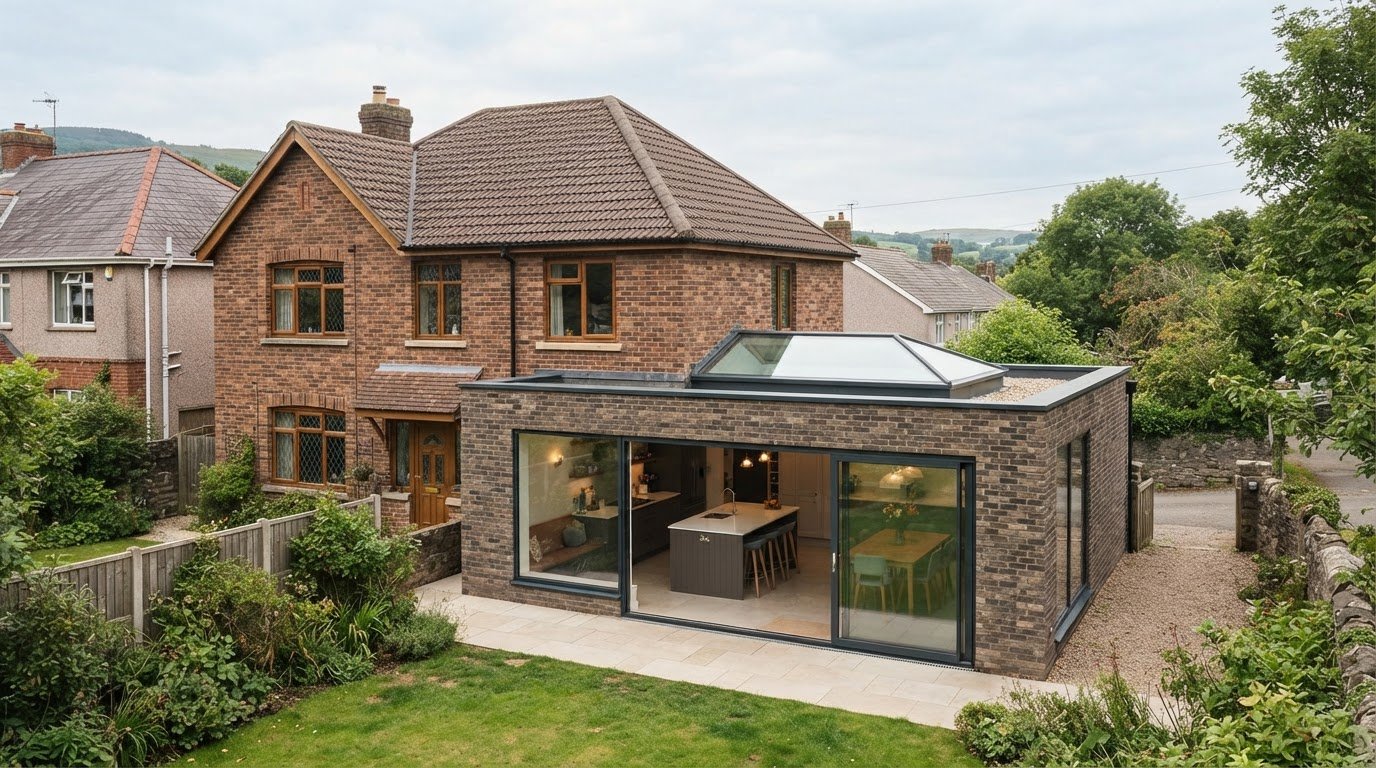
Doors, windows and furniture provide familiar points of reference. Seeing a dining table in an open-plan area, for instance, can help you consider how it sits in relation to the kitchen and the route through the room. A view of a proposed extension can help you picture its connection to the existing home. These details support your judgement about how a design may work for your household.
What you can see depends on the information supplied and what the visualisation is intended to communicate. One image might focus on the overall arrangement; another might include more detail about openings or furnishings. Treat it as an illustration of the design shown, rather than assuming it captures every specification or construction detail.
When is a 3D layout useful for a home project?
Visualisation can help when you’re comparing possible room arrangements, considering an extension or exploring the design of a new build. If you’re planning a loft conversion, for instance, a 3D view may make it easier to discuss how the proposed rooms connect and how you’d like to use them.
Use the image to clarify your preferences. You might notice that you’d like a clearer connection between the kitchen and garden, or that a room needs to serve more than one purpose. These observations can guide a conversation about priorities before design and construction decisions progress.
A rendering has limits. On its own, it doesn’t establish whether a design meets planning requirements, satisfies building regulations or can be built as shown. Those matters require the relevant project information and professional design work. Used in the right context, a 3D view helps you communicate what you want to achieve, while the wider project process addresses what is needed to develop the design further.
How does a house layout move from a 2D plan to a 3D visualisation?
Moving from a floor plan to a 3D view starts with understanding the home and the people who will use it. An existing plan can be a useful starting point, but a clear description of what you want to change can also shape the conversation. The right approach depends on the project and the information available.
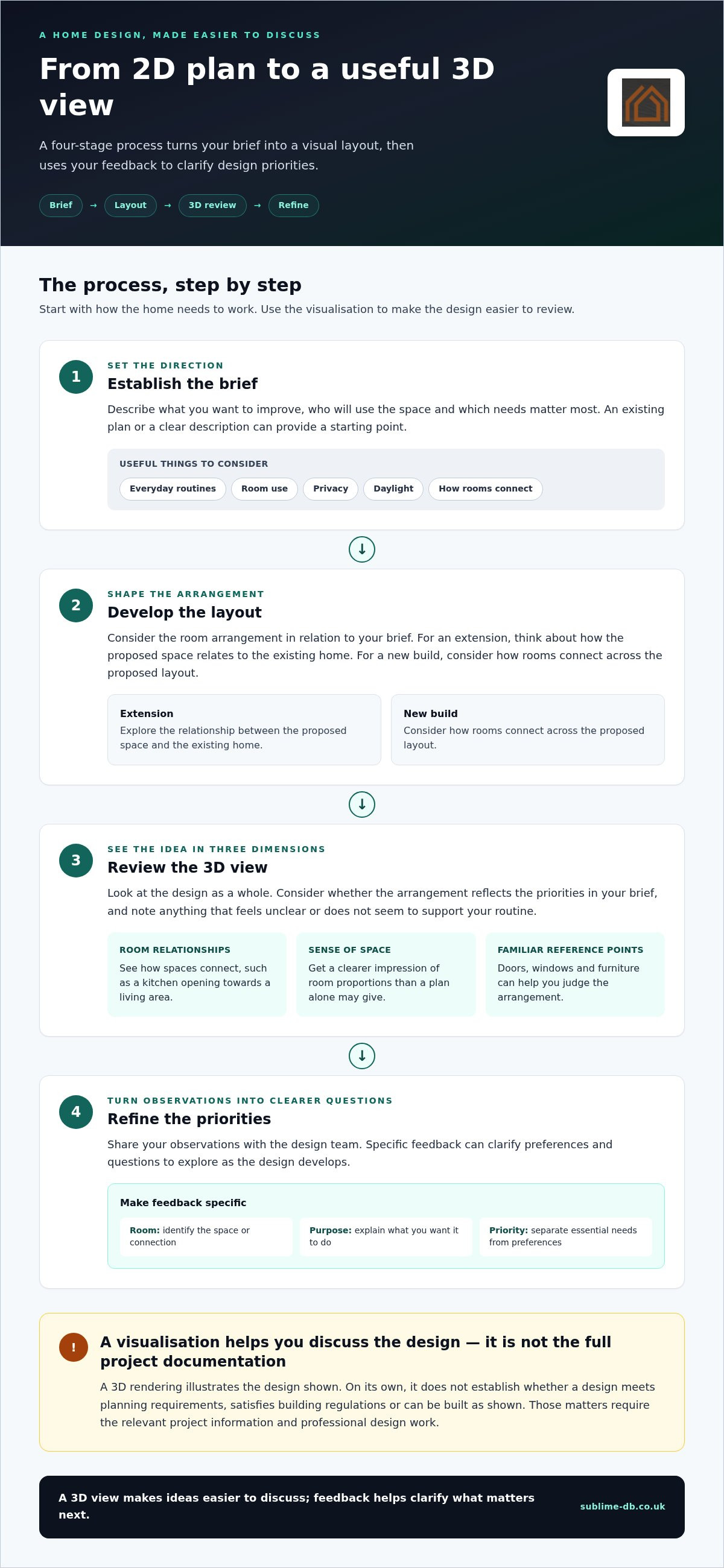
A 2D-to-3D process turns the project brief into a layout, visualises that layout and uses your feedback to clarify the next design decisions. It makes ideas easier to discuss; it isn’t a fixed software method or a substitute for professional assessment.
Start with the rooms, relationships and everyday routine
Before looking at images, think about how your household uses the home throughout the day. Where do people gather, work or need quiet? Consider how you move between rooms, how much privacy different areas need and how living spaces connect. Daylight may also be worth raising. These points explain the purpose behind a change, while the design team considers them in the context of the project.
A house layout 3D rendering can be developed through a straightforward sequence:
Establish the brief. Describe what you want to improve, who will use the space and which needs matter most. Depending on the project, an existing plan or a clear description can provide a starting point.
Develop the layout. Consider the room arrangement in relation to your brief. For an extension, that includes how the proposed space relates to the existing home. For a new build, it may involve how rooms connect across the proposed layout.
Review the 3D view. Look at the design as a whole and consider whether the arrangement reflects the priorities you discussed. Note anything that feels unclear or doesn’t seem to support your routine.
Refine the priorities. Share your observations with the design team. Your feedback can clarify preferences and questions to explore as the design develops.
Use the 3D view to review and refine the idea
Compare what you see with the brief, rather than judging the image only by its appearance. If a welcoming kitchen-diner was a priority, consider whether the layout seems to support the way you hope to use it. If privacy mattered, note where you’d like clearer separation between shared and quieter areas.
Keep feedback specific: identify the room or connection you’re considering, explain what you’d like it to do and distinguish essential needs from preferences. You might say that the route between the entrance and kitchen needs to feel direct, while a particular furnishing choice is flexible. The visualisation can prompt useful discussion, but it won’t establish structural, planning or construction requirements on its own.
For homeowners developing a project in Monmouthshire, Newport, Cardiff or Bristol, visual feedback can be an early part of a wider design and construction conversation. Sublime Design & Build Ltd’s residential design and construction work connects 3D visualisations with the broader stages of a home project.
DIY design software or professional 3D rendering: which suits your project?
DIY design software and professional visualisation can both help make a home layout easier to discuss, but they serve different purposes. Online tools let you explore ideas for yourself. Professional 3D visualisation can be part of a wider design process, where decisions are considered in the context of a real residential project. The right fit depends on whether you’re exploring possibilities or developing a proposal for building work.
Here’s a practical comparison:
What can an online floor-plan tool do well?
Tools such as Planner 5D, Floorplanner and HomeByMe let homeowners experiment with room arrangements and furnishings. You might use one to compare where a dining table could sit or to explain to your household why you’d like a different connection between two spaces. These sketches can make preferences more concrete and provide a useful starting point for a design discussion.
Keep the purpose in view. A concept made in a software tool reflects the choices and information entered into it. It isn’t automatically a project-specific design or a set of construction documents. The same is true of a polished-looking house layout 3D rendering: realism in an image doesn’t prove that a design is buildable or approved.
When does a project need more than a visual concept?
Once an idea is being developed for construction, the project may require design development and technical information tailored to the home and proposed work. A rendering can help communicate the visual intent, but it doesn’t replace technical drawings. Nor is it a planning application or evidence of building regulations compliance. These are distinct parts of progressing a residential project.
For example, an attractive visual of an extension might help you explain how you hope it will feel alongside your existing home. On its own, it can’t establish what design information or approvals the project needs. Sublime Design & Build Ltd’s 3D visualisations form part of a wider residential design and construction process, connecting early visual ideas with project planning and compliance. If you’re weighing up whether a renovation is viable more broadly, this home renovation feasibility guide can help you consider the wider questions.
Using 3D house layouts for clearer design decisions
A visualisation is most useful when you review it against the way your household actually lives, not simply whether the image looks appealing. Treat it as a prompt for focused questions: what works, what feels uncertain and which priorities need further discussion? This turns a house layout 3D rendering into a practical aid for design decisions, rather than a picture you simply approve or reject.
Review the layout against how you live
Imagine a typical day, from arriving home to preparing meals, relaxing and getting ready for bed. Consider how household members share the space, where they need privacy and whether the proposed furniture arrangements seem plausible. If the design connects indoor and outdoor areas, think about how you expect to move between them. These are useful observations to discuss, not conclusions about technical feasibility.
Use this checklist to organise your review:
Room use: Does each room suit its intended purpose, including any need for it to serve more than one function?
Circulation: Do the routes between the entrance, kitchen, living areas and bedrooms seem convenient for your routines?
Privacy: Do shared and quieter spaces feel suitably separated for your household?
Storage: Have you considered where everyday belongings, coats or household items need to go?
Existing connections: If the proposal changes or extends your home, does the new layout feel connected to the spaces you already use?
Separate essential needs from visual preferences. A quiet work area may be essential; a particular furniture arrangement may be flexible. This distinction keeps design discussions grounded in how the home needs to function while leaving room for aesthetic choices. You may also spot a compromise. Perhaps a preferred open layout seems to reduce privacy, or a room arrangement leaves a question about storage unanswered. Record that uncertainty rather than assuming the image resolves it.
Turn visual feedback into useful next steps
Make notes about specific areas of the proposal. For each observation, describe what you see, what you need and what you’d like to discuss. For example: “The route from the kitchen to the garden feels indirect; can we explore the connection?” This is more actionable than saying the layout simply doesn’t feel right.
It can help to group notes under three headings: works well, unclear and needs discussion. Share the most important items first, and refer back to the original brief so preferences remain connected to the project’s purpose. Revisions depend on the brief and design process; a visualisation doesn’t determine planning or technical requirements.
If you’re considering an extension, the home extension design guide for Monmouthshire offers related context for thinking about how a proposed space may fit your home. To discuss how 3D visualisation can support your residential project, explore design and build support.
How Sublime Design & Build connects 3D visualisation with a home project
A 3D visualisation is more useful when it connects to the decisions that shape a real home project. Sublime Design & Build provides 3D visualisations as part of its residential design and construction work, helping homeowners bring their priorities into early design discussions. The visual is one part of a wider process, not a standalone approval or construction document.
As a family-run business serving homeowners across Monmouthshire, Newport, Cardiff and Bristol, Sublime Design & Build can manage projects from initial visualisation through planning application management and building regulations compliance, alongside residential construction. Each stage has its own purpose: a house layout 3D rendering helps communicate a design idea, while planning and compliance work address separate project requirements.
From an early design idea to a managed project
Start by explaining what you want your home to do better. Perhaps you need more room for family life, want an extension to connect more naturally with the existing house, or are planning a new build around the way you live. These priorities give the early design conversation a practical focus. A visualisation can help you discuss how a proposed layout might respond to them before the project moves through its relevant design, planning and construction stages.
The process is shaped by the project, not by a single image. An extension, loft conversion and new build each have different starting points and design questions. Sublime Design & Build’s broader residential service brings visualisation together with planning application management, building regulations compliance and construction. This joined-up context helps you consider how an early idea relates to the wider home project, without treating a rendering as a substitute for technical information.
If you’re planning a new home in the area, this guide to new-build contractors in Abergavenny offers further context for thinking about the project team and the work involved.
Discuss your home layout and project goals with the team
Before a discussion, note which spaces matter most, what isn’t working in your current layout and what you hope a proposed change will achieve. You don’t need every detail resolved. A clear sense of your household’s priorities can make the first design conversation more useful, whether you’re considering a new build, extension or loft conversion.
Bring questions as well as preferences. You might want to explore how rooms connect, where the household needs privacy or how an addition could relate to existing living spaces. The conversation can clarify which points belong in the early design discussion and which need to be addressed through the wider project process. Use it to explain your aims and understand how visualisation fits into the work.
If you’re ready to discuss your home project, talk with Sublime Design & Build about your layout ideas and the spaces you’d like to improve.
Take your home design from idea to next step
A useful house layout 3D rendering doesn’t need to answer every question at once. It can help you identify the one or two decisions that matter most to your household, then bring those priorities into a clear conversation about what happens next. Start by noting what you’d like to change, which spaces are most important and what you hope daily life will feel like in the finished home.
That gives a design discussion a practical starting point, whether you’re weighing up an extension, loft conversion or new build. Visual ideas can then be considered alongside the wider design and construction process, with planning application management and building regulations compliance forming part of the work where relevant. Sublime Design & Build is a family-run residential design and construction business serving Monmouthshire, Newport, Cardiff and Bristol.
Bring your early ideas and questions to the next conversation. Discuss your home design and build project with our team, and take a considered first step towards a home shaped around the way you want to live.
Frequently Asked Questions
What is house layout 3D rendering?
House layout 3D rendering is an image of a proposed home layout shown in three dimensions. It can help you picture how spaces sit together and give you something more tangible to discuss with your household. For example, you could use it to talk through whether an open-plan arrangement suits your routines. Treat it as an illustration of design intent, not as a construction drawing or evidence of approval.
Can I create a 3D house layout myself?
Yes, online design tools let you try out room arrangements and furnishings, then share a visual version of your ideas. They can be useful for comparing possibilities, such as whether a study might work better as a separate room or within a larger living space. Keep track of assumptions about dimensions or existing features, as a personal model may not include the project-specific design and technical information needed to progress building work.
Is a 3D rendering the same as an architectural plan?
No. A rendering communicates a design visually, while a plan presents information in a format used to understand a layout and its details. A realistic image may not show all the measurements, construction information or documents needed for an application. If you’re comparing two proposals, use the image to discuss how each might feel, and the relevant project documents to understand what has been drawn or specified.
How accurate is a 3D house-layout rendering?
Its accuracy depends on the source information and the purpose of the visual. A visual based on limited details may communicate the broad idea without representing every dimension or design decision. Clarify what the image is intended to show before relying on it for a particular discussion. For instance, a view created to explain room relationships may not answer questions about exact fittings or construction details.
Can a 3D layout help me plan a home extension?
Yes, it can help you consider how an extension might relate to the rooms you already use and communicate what you want the added space to achieve. Think about whether it needs to support family meals, provide a quieter area or improve the connection to the garden. For a home in Monmouthshire, Newport, Cardiff or Bristol, use the visual to frame design questions, not to settle project-specific planning or technical matters.
Does a 3D house rendering show what the finished home will look like?
It shows an interpretation of a proposed design, not a guarantee of the finished appearance. The image may not represent every material, fitting or construction choice that will shape the completed home. Use it to discuss the overall design intent and identify details that matter to you. If a particular finish or feature is important, note it so it can be addressed through the appropriate project discussions.
Can a 3D house layout be used for planning permission in Wales?
A 3D visual may help communicate a proposal, but don’t assume it replaces the information required for a planning application. What’s needed depends on the specific project and relevant local guidance. Keep visual material distinct from application drawings and other project documents. For work in Wales, planning application management can help homeowners organise the application stage as part of a broader residential design and construction project.
What should I prepare before discussing a 3D home layout?
Bring a short description of the problem you want your home to solve, along with any existing plans you have and questions you’d like to explore. It can also help to note who uses each room, what currently feels awkward and which changes matter most. You don’t need a finished design. Starting with everyday needs, such as making space for working from home, gives the conversation a practical focus.
Comments